What’s the Best Way to Use ChatGPT?

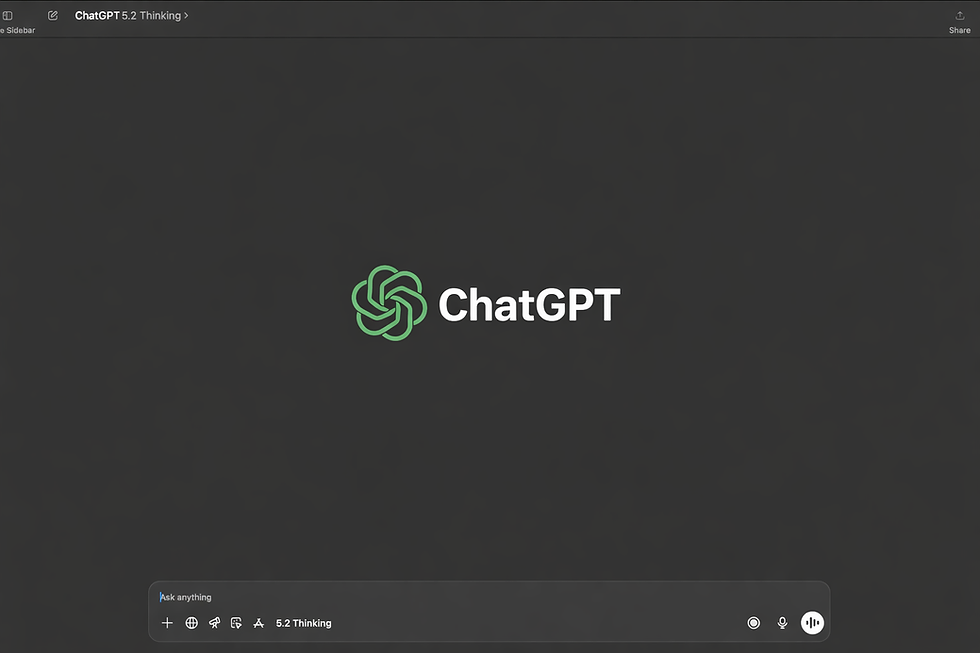
There’s no single “best” way to use ChatGPT — the best way is the one that consistently gets you better output with less back-and-forth. The good news is: you can make that happen with a simple workflow.
This post breaks down two things:
A practical framework anyone can use, and
The method I personally use to get consistently high-quality results.
1) Start With a “Good Prompt” Formula
If you want ChatGPT to perform well, don’t start vague. Start structured.
Use this prompt template:
Role + Goal + Context + Constraints + Output format
Example
Act as a senior email marketer. I’m promoting a New Year offer to UK students. Brand tone: warm, clean, slightly witty. Give me 3 subject lines + 3 preview texts + a 120-word email body. Avoid emojis. UK spelling.
This works because it removes guesswork. Clear input = clearer output.
2) Ask for Options, Then Iterate Fast
The fastest way to get a great result isn’t to chase perfection in one shot.
Instead:
Ask for 3 versions (A/B/C)
Pick one and ask for a rewrite with a specific direction
“Make Version B more direct”
“Make it more premium”
“Make it more Gen Z”
Then tighten it:
“Cut it by 30% but keep the meaning”
Iteration isn’t a weakness — it’s the workflow.
3) Control the Output With Formatting
One line can change everything:
“Return it as a table.”
“Use bullet points only.”
“Give me a checklist.”
“Ask me 3 questions before answering.”
If you don’t control format, ChatGPT will default to long paragraphs. If you do, you’ll get clean, usable output.
4) Use Files and Images When Accuracy Matters
If you’re working from a document, don’t paste chunks and hope for the best.
Upload it and ask for a specific action:
“Summarise the key points.”
“Extract all mentions of X.”
“Turn this into a content plan.”
Same with images: add them using the + button (or drag and drop) and ask for analysis.
This makes the conversation grounded in your source material.
5) Use Projects When You Want Consistency
If you’re building something over time (like an AI Toolkit), Projects help you keep the same brain across chats.
Example Project instruction:
“Act as my toolkit editor. Keep tool cards consistent. Always include Pros/Cons + Quick Start.”
That single instruction can save you so many repeats.
6) Use GPTs When You Want a Custom Assistant
If you keep repeating the same instructions, stop repeating them.
Make a custom GPT that already knows your style, your structure, your rules — like a personal tool-card machine.
7) Reality Check: Verify Important Facts
ChatGPT can sound confident and still be wrong sometimes.
So when it matters, ask for:
“Cite sources and include links.”
“List assumptions.”
“Give me a quick fact-check checklist.”
Treat it like a powerful assistant — not the final authority.
8) Privacy and Data Controls
If you care about privacy, you can control whether your chats are used to improve models.
Check: Settings → Data Controls
How I Use ChatGPT (My Workflow)
Here’s the biggest shift I made:
I don’t ask ChatGPT for “answers” or throw tasks at it immediately.
I treat it like a collaborative process.
Step 1: I Provide Context Before I Ask for Output
Instead of “Do this,” I start with:
what I already know
what I’m trying to achieve
what I expect the output to look like
Then I add a key rule:
“Don’t assume anything.”
Step 2: I Ask What It Understood
Before moving forward, I ask:
“Tell me what you understood from my instructions.”
This prevents misalignment early.
Step 3: If I Want It to Use Only My Data, I Say That Clearly
I use a strict instruction like:
“Use only the data I provided and don’t refer to any other sources.”
That one line keeps the output grounded.
Step 4: I Ask It to Ask Me Questions
This is where the quality jumps.
I ask it to ask me at least 10 questions so it fully understands what I want to accomplish.
Then I answer them all.
Instead of an Instruction → Action method, I turn it into an ongoing conversation where the model has all the context it needs.
Step 5: I Refine With More Instructions + More Iterations
Even after I get a solid result, I keep refining:
I ask follow-up questions
I add constraints
I request more versions
Iteration is where the output becomes mine.
Step 6: I Use Negative Prompting
Most people only say what they want.
I also say what I don’t want.
Negative prompting is powerful because it prevents generic outputs and removes noise.
It’s not just:
“Make it short”
It’s also:
“Don’t use clichés, don’t repeat points, don’t overexplain.”
Mentioning what you don’t want is just as important as what you do want.
Final Thought
There’s no one best way to use ChatGPT.
But there is a best way for you — the one that gives you clarity, reduces guessing, and turns your prompts into a process.
When you treat ChatGPT like a collaborator instead of a vending machine, the results level up.
Comments